Guides
How to evaluate vending machine software subscriptions with a twelve check trial
Run your own twelve check trial to evaluate vending machine software subscriptions, covering data export, offline behavior, permissions and recurring cost.
What to take away
- Products are named as examples here, and the reason they are not ranked is stated rather than implied.
- Twelve checks, run as a real trial on a few machines, will tell you more than any comparison table.
- The two questions that separate systems are what happens to your data and what happens when connectivity drops.
- Recurring cost per machine, including the connectivity line, is the number to compare. Headline pricing is not.
Why products are named but not ranked
A ranked list of vending platforms would attach commentary to real, identifiable businesses, and nobody writing this page has run their software on a route. Capabilities and pricing change, integrations depend on the machines and readers you already own, and support quality varies by region and by month.
Products and providers you will encounter include VendSoft, Cantaloupe Systems (Seed and Seed Pro), Nayax (VendSys and Moma), Parlevel Systems, Televend, Vendon, and 365 Retail Markets. This page still does not rank them, because the checks below decide the fit.
So the deliverable here is the protocol. It takes a couple of weeks and it produces an answer about your route rather than about an average one.
The twelve checks
Run every one of these against each candidate. The order matters, because a failure on the first three usually ends the evaluation.
Twelve software trial checks
- 1. Hardware compatibility with existing machines
- 2. Data export on demand
- 3. Exit and data retrieval
- 4. Offline behavior and reconciliation
- 5. Sales granularity per selection
- 6. Fault reporting speed
- 7. Individual driver permissions
- Hardware compatibility. Does it work with the machines, controllers and card readers you already own? Ask for the specific models rather than a general yes.
- Data export. Can you export your own sales history in a usable file, on demand, without asking them to do it?
- Exit. What happens to your data if you stop paying, and how long do you have to retrieve it?
- Offline behavior. What does the system do when a machine loses connectivity, and does the data reconcile when it returns?
- Granularity. Does it report sales per selection per machine, or only machine totals? Machine totals will not set a par level.
- Fault reporting. Does it tell you a machine has stopped, and how quickly?
- Permissions. Can you create individual accounts for a driver and for yourself with different access?
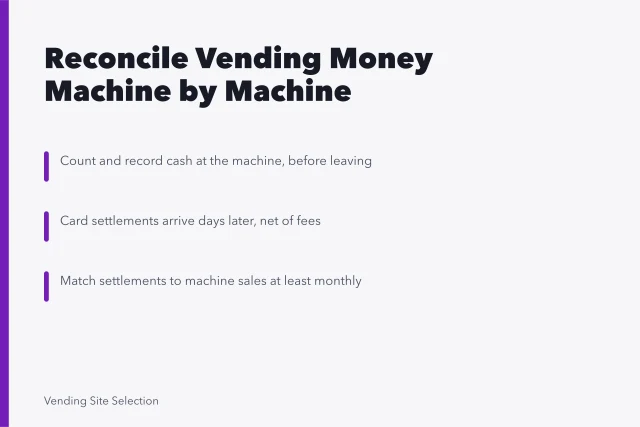
- Payment reconciliation. Does it match card settlements to machine sales, or is that a manual job every month?
- Full recurring cost per machine, including the connectivity line, any per transaction charge and any minimum.
- Contract term, notice, and what changes at renewal.
- Support. Who answers, in what hours, and what is the process when a reader stops reporting?
- Accuracy. Does what it reports match a physical count at the machine?
Turning the checks into a trial
Do not evaluate from a demonstration. A demonstration is designed to work.
Running the trial properly
- Pick representative machinesbusy, quiet, poor signal
- Run one full service cycle, preferably two
- Physically count and compare to report
- Deliberately take a machine offline
- Call support at your real hour
Put the system on a small number of machines that are representative rather than convenient: one busy, one quiet, one with poor signal. Run it for at least a full service cycle and preferably two.
During the trial, do three things you will not want to do. Physically count a machine and compare it to the report. Deliberately let a machine go offline and watch what the data does. And call support with a real question, at the hour you would actually be calling.
What the trial usually reveals
Three findings recur, and none of them appears in a comparison table.
Reported sales and physical counts often disagree slightly at first, usually because of how the system treats a failed vend or a test vend. Find out how before you rely on the number, not after you have set par levels from it.
Signal quality is a site property, not a product property. The same system that reports perfectly at one building may not at a plant with thick walls, and that is worth knowing before you commit the whole route.
Support response is the variable that changes the experience most and is never in the specification. A system with fewer features and someone who answers beats the reverse on a route where a dead reader means lost sales.
Cost, compared properly
Build the comparison per machine per period, and include everything.
True cost versus saving
Add to subscription
- Connectivity
- Data line cost
- Transactions
- Per transaction charge
- Hardware
- Required purchases
- Minimums
- Small-route minimum
Compare against
- Connectivity
- Trips avoided
- Transactions
- Faults found sooner
- Hardware
- Lost contribution avoided
- Minimums
- Route size matters
Ask for a written quote that states the recurring cost per machine per month, the connectivity cost per device per month, and the payment fee per transaction. Public list prices are uncommon, so that quote is the figure to compare.
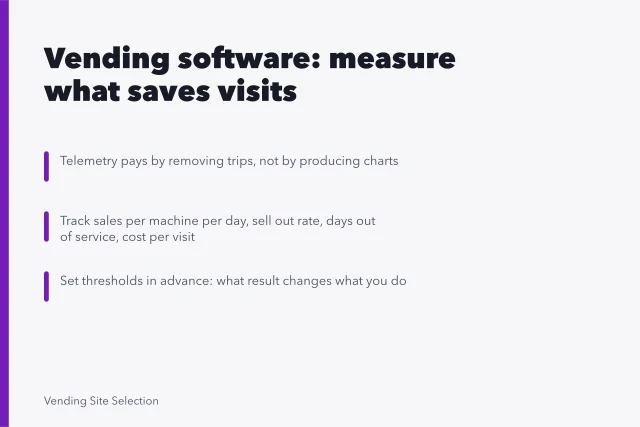
The subscription is only part of it. Add any connectivity or data line, any per transaction charge, any hardware you have to buy to make it work, and any minimum that bites when you have few machines. Then compare that total to what the system saves: trips avoided, and the lost contribution avoided by finding faults sooner.
That saving is calculable from numbers you already hold, and the method sits with the wider software and measurement framework. On a clustered route with busy machines it usually comes out positive. On a small route with everything nearby, waiting is a legitimate answer.
The access question people skip
Whatever you choose holds your sales history, your site list and, indirectly, your payment arrangements.
Access setup from day one
- Individual accounts, never a shared login
- Remove access when someone leaves
- Enable extra verification offered
- Ask processor about merchant obligations
The National Institute of Standards and Technology: NIST Small Business Quick-Start Guides cover account access and recovery for businesses with no IT function. The Cybersecurity and Infrastructure Security Agency: Cyber Guidance for Small Businesses pages cover what to do when an account is compromised.
Ask your payment processor separately what merchant obligations sit with you, since that answer depends on your arrangement rather than on the software.
Software does not discharge the record keeping
A platform makes records easier and does not satisfy the obligation. Sales, purchases, expenses and inventory all have to be documented, and the Internal Revenue Service: What kind of records should I keep? guidance sets out what a small business is expected to hold.
Check whether the system holds two records that often live outside it: temperature logs for refrigerated machines, and removals with a reason recorded. If it cannot, keep them with your other operating records instead of assuming someone will remember.
Also check what happens to all of it if you add machines in a new area with different connectivity or a different processor.
Common questions
Should I choose the system my machine manufacturer recommends?
It is a reasonable starting candidate because compatibility is likely, and it is not automatically the right answer. Run the same twelve checks on it that you would run on anything else, particularly the export and exit questions.
How long should a trial run?
At least one full service cycle at every trial machine, and two is better, because the first cycle is where you find out how the system counts and the second is where you find out whether it stays accurate.
Is it worth switching systems later?
It is, and check two and check three decide the cost of switching. A system you can export from is one you can leave.
That is why those questions sit near the top of the list, not the bottom. They matter more if you are still setting up the route and will choose again as it grows.